

The 8 Best NYC Rideshare Apps for Every Traveler

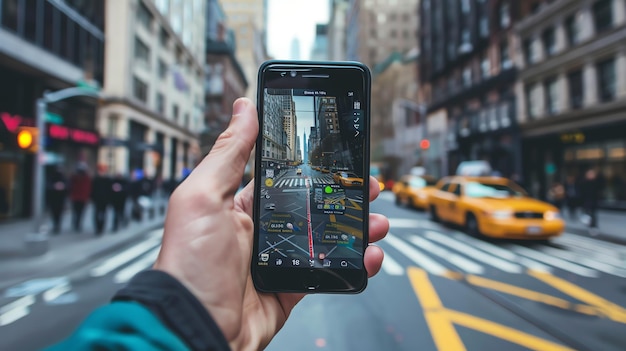
Recommendation: Start with Lyft as your default NYC rideshare app, with Uber as a reliable backup for airport runs. This approach keeps bookings quick and near arrivals, even in rainfall and rain weather. Use one account for both to simplify your contact options and ensure your preferences travel with you along the city grid.
Each app in the lineup excels in specific segments: airport runs, neighborhood hops, or late-evening bookings. For example, Uber generally offers strong airport coverage with upfront pricing; Lyft shines in the Midtown to Downtown corridors with shorter wait times on weekdays. Track wait times and forecast demand through the in-app maps and by checking your ride history, so you plan trips with less stress. This is the part where technology meets your needs, and specific preferences can guide which app you rely on most.
When choosing, consider these values: reliability, pricing transparency, and the care drivers show when you share specific instructions. If you travel with gear or a family, tune settings in each app for luggage and child seats; this care extends to real-time traffic info and route options. Keep your contact details up to date and use in-app notes to spell out specific pickup instructions; this is an honorable courtesy that improves trust and smooths trips.
On weather-heavy days, check the forecast in the morning and just before you step out; the right app pair helps you adapt to rainfall or clear skies. If your destination sits on the Upper East Side or the side of town near mxico, different apps perform differently depending on street closures and driver supply. For travelers moving across neighborhoods, the eight options offer a side of strategy: rely on two or more apps to keep bookings steady and avoid long waits during rush hours.
Upfront Fare Estimation Across NYC Rideshare Apps

Recommendation: check upfront fare estimates on at least two apps for the same route, then book with the lower trip-level figure. Start with uberx and compare against a second platform; use a clean credit option to lock in the estimate and avoid surprise charges.
In NYC, the fare structure centers on a base fare, distance, time, and a booking fee. During high-demand windows, surge can push the minimum fare higher, creating a noticeable percentage gap across apps. Figure 1 shows typical ranges and how a quick two-app comparison reduces the likelihood of paying extra due to platform differences. The data science behind these estimates relies on trip-level data from diverse areas of the city to predict price movement.
To get reliable estimates, enter your exact pickup and drop-off areas, add any necessary stops, and compare the upfront fare on uberx with another platform for the same route. Check for credit promotions and consider the minimum fare in each case. Keep a simple data space handy so you can sich spot patterns across times of day and different areas; you may siehst that one app consistently offers a lower figure for your frequent trips.
Practical steps: input the route, note the space of possible fares, and add a cushion for traffic and minor detours. Use a clean structure in your notes or spreadsheet to track base fare, per-mile, per-minute, booking fee, and surge multipliers for each app. This approach helps you compare rides across the maze of options and choose the best value for each trip.
| App | Base fare (USD) | Per mile (USD) | Per minute (USD) | Booking fee (USD) | Minimum fare (USD) | Notes |
|---|---|---|---|---|---|---|
| uberx | 1.50–2.50 | 1.60–2.00 | 0.25–0.50 | 1.75–2.00 | 6.50–7.50 | Most common; surge varies by area and time |
| lyft standard | 1.75–2.75 | 1.50–2.00 | 0.25–0.50 | 1.65–2.00 | 6.00–7.00 | Often higher during peak hours; strong in Manhattan |
| via | 0.90–1.50 | 1.50–1.80 | 0.25–0.40 | 0.75–1.25 | 5.00–6.50 | Good for select routes; smaller footprint in some areas |
Airport Pickup Rules at JFK and LGA by Each App
Request the ride in-app and head to the designated rideshare pickup zone; set your zielort in the app to the terminal exit so the driver knows exactly where to meet you, then watch the window for the car’s arrival. Have your smartphone ready, and keep your party’s details handy so the pickup flows with minimal street congestion. Whether you’re visiting for business or leisure, this approach speeds the process and reduces confusion between pilots, gates, and rides.
Uber: At JFK and LGA, Uber directs drivers to the official curb area shown in the in-app map. The app performs real-time routing to the assigned space and surfaces trip-level information such as fare estimates, vehicle type, and ETA. Expect an airport surcharge in addition to the base rate, and be prepared for peak-time waits when terminals are busy. Verify the plate, color, and driver name before you step into the vehicle. If you habe accessibility needs or other considerations, use the in-app options to flag them so the pickup can be facilitated accordingly. If you miss the window, you can cancel and re-request, but act quickly to preserve efficiency. Always keep the street-side curb in mind–riders meet the car outside the terminal doors, not inside arrivals halls.
Lyft: Lyft similarly routes you to the rideshare pickup zones on the curb at JFK and LGA. The app displays a clear pickup point and a live ETA, with trip-level details you can confirm before stepping out. Be aware of possible airport surcharges and higher rates during busy hours. The driver will verify identity and vehicle details via the app; you should confirm the name and plate before entry. If you visits the city often, a quick pre-check of the pickup point each time reduces friction. If you have special needs or language preferences, use Lyft’s accessibility options to streamline the process. If the window passes, you can request again, and the app will guide you to an alternate space if available, keeping efficiency in mind.
Via: Via assigns curbside pickup points at each terminal, with the app guiding you to the correct street-side location. Pickup windows are short during peak traffic, so start the request a few minutes before you’re ready to go. Via emphasizes a street-level pickup flow and encourages you to meet the driver at the curb outside baggage claims. Trip-level pricing and ETA are visible in-app, helping you plan around short wait times. If you have a large group or lots of luggage, use the app’s notes to indicate need for extra space, which helps the driver perform the handoff smoothly. For international or frequent visits, Via’s flexible routing can facilitate smoother connections, especially if you need to coordinate multiple pickups on a single trip.
Gett: Gett operates through designated airport zones and relies on the app to direct you to the correct curb. The pickup area is street-side, not inside the terminal, and the app provides real-time routing and trip details to avoid missteps. Expect a potential surge rate and ensure you verify the driver and car before boarding. If you have special needs or require a specific vehicle type, use the in-app notes or chat to coordinate. Gett also supports pre-arranged pickups for business travelers, helping you streamline arrivals during busy periods. If you arrive with a larger group, indicate the luggage count so the driver can allocate the appropriate vehicle and keep the process efficient.
Wingz: Wingz emphasizes pre-scheduled, airport-specific pickups and often directs riders to the curb in a fixed pickup zone per terminal. Use the app to confirm the exact pickup space and show the driver the pin you share, so you’re released from wandering. The window for pickup remains tight in peak moments, so plan to be ready a few minutes before the scheduled time. Wingz pricing is transparent in the in-app view, and trip-level estimates help you decide whether Wingz is the best option for your visits. If you’re needing to meet tight connections, Wingz can be particularly efficient because drivers are assigned for a fixed pickup once you confirm your time slot.
Curb/Other options: Several NYC rideshare partners operate in tandem with airport logistics, including apps that integrate with taxi fleets for curbside pickups. In many cases, these tools direct you to a street-side pickup zone and use trip-level data to minimize waiting. Always request the ride in-app, and use the phone’s map to navigate from arrivals to the curb. If you have a specific window, set it precisely in the app to reduce delays. For travelers who are visiting Ecuador or other international destinations, keeping a clear zielort and a precise pickup window reduces confusion when language or signage differs. In all cases, users should facilitate communication by sharing their ride details and identifying information with the driver before the car arrives.
General tips that apply across apps: arrive at the curb with your belongings organized and in easy reach, so the driver can load without delays. Review the in-app guidance for the terminal you’re departing from, and watch for terminal-specific signage that directs you to the correct pickup point. If you need to change plans, use the app’s request function to switch terminals or times rather than talking to drivers on the street–that reduces back-and-forth and increases efficiency, especially during peak periods. For users who juggle multiple visits to NYC, the combination of clear pickup zones, accurate trip-level data, and prompt in-app updates makes the process smoother and less stressful, whether you’re here for business or a quick weekend. ssrn-backed data on airport pickup patterns supports these practices, and a little planning goes a long way toward a seamless arrival.
Available Vehicle Types in NYC: Economy, XL, Comfort, and More
Start with Economy for most solo trips; for groups pick XL; for longer or business trips choose Comfort; for a premium ride during evenings, Black or Lux is a good option.
NYC's app-based network blends taxicabs with third-party platforms across Manhattan, brooklyn, Queens, the Bronx, and nearby areas. Availability is generally immediate, but during peak times the influence of demand can shift ETA and price range. The maze of choices can be navigated quickly because the screen shows multiple types at once, so you can compare and decide before you receive a ride. This approach has been used by millions of NYC travelers.
- Economy: standard sedans or compact SUVs for up to two riders; fastest pickups in most neighborhoods; best value and widely used; many apps accept amex.
- XL: up to six riders; ideal for groups along busy routes or after activities; higher fares but saves splitting into two taxis.
- Comfort: newer vehicles, more legroom and space; reliable for long trips or business activities; typically priced higher than Economy but lower than Luxury.
- Shared: carpool option to lower costs; longer total times if detours occur; plan for the extra time but you save money.
- SUV/Lux/Black: premium options for comfort and space; suitable for special occasions or day trips; availability varies by neighborhood and evening demand.
- Non-emergency WAV: wheelchair-accessible rides; book in advance when needed for mobility support; essential for travelers with accessibility needs.
- Taxi: traditional taxicabs remain a staple; you can hail them on the street or request via app; some rides accept amex or other cards.
Tips: plan around Times or parks along the brooklyn waterfront; if you have activities, XL or SUV may be better; mind peak-period dynamics and potential price spikes; during any period of the day, the advantage of app-based choices is real: you can switch along the route and even receive updates without waiting. If you’re unsure, start with Economy and move up to XL or Comfort as needed; this range of options helps you tailor the ride to your schedule. This approach has been used by many travelers to simplify commuting and sightseeing across the city.
Pickup Wait Times: Real-Time Availability in Manhattan vs. The Boroughs
Plan pickups near major hubs in Manhattan during off-peak hours; this takes 2–3 minutes on average, while in the boroughs waits range from 4–6 minutes. If wait times cross the 5-minute threshold, switch to a nearby cross-street with higher driver utilization.
A study conducted across york markets used scikit-learn to model real-time availability for residents. The figure shows Manhattan's major markets with higher utilization and shorter waits, while the boroughs exhibit more fluctuation, particularly during weather events. Wait times can stretch länger in outer zones; in some blocks supply geht down when events end, a behavior highlighted by zegras. Human planners rely on credit programs that provide credits to drivers, and ubers respond to these incentives by repositioning to high-demand markets, sometimes.
What this means in practice

During peak periods, comparing live wait times across Manhattan and the boroughs helps you decide where to place your pickup. What you do next depends on the reads: if you see waits rising, switch to a nearby cross-street with higher driver utilization. This simple adjustment saves minutes for residents and travelers and aligns with programs that reward flexibility with credits.
In-App Safety Features and Rider Verification Across Apps
Enable multi-factor verification and rider identity checks at signup and again when a ride is confirmed, and pair this with device integrity checks on the smartphone so anomalies trigger a decline or a prompt. In ridesharing, these steps protect cardholders on credit and improve trust around every hails from busy airports and other high-traffic areas, while keeping hourly processing smooth for major users.
Rely on three core protections: identity verification, device risk scoring, and trip verification. The processing pipelines run in real time, coordinating with payment partners and the platform's safety teams to lock down suspicious activity around airports, around busy city centers, and during hourly demand spikes. Thats why tuning risk thresholds across regions matters for a consistent rider experience.
Across the industry, several major apps blend government ID checks, liveness tests, and device attestation to verify riders. They verify coordinates of pickup and drop-off against recent activity, and keep drivers informed of risk signals without exposing sensitive details. When a mismatch appears, the app can require a re-check or decline the request to protect the point of service and momentum in the ride queue.
Some risk signals use internal tags such as nosal and aber to flag sessions that require closer review, helping analysts focus on doubtful cases without delaying legitimate riders. Privacy, consent, and transparent explanations for drivers and riders remain essential as you implement these signals.
The table-style summary below highlights the three verification types analyzed and the typical actions that follow: identity verification, device verification, and trip verification. This structure helps operators tune controls and riders understand what to expect during a hails from a smartphone in busy corridors.
Three verification types analyzed
1) Identity verification: government IDs, facial liveness checks, and cross-checks against the card on file to prevent impersonation. 2) Device verification: smartphone attestation, SIM checks, and app fingerprints that confirm the device used matches the account. 3) Trip verification: coordinates, pickup details, and route status that align with recent activity to verify legitimate movement. Each type provides a clear safety signal, reducing friction for trusted users while offering a quick path to escalate if something looks off.
Payment Methods, Tipping, and Receipts in NYC Rideshare Apps
Choosing a default payment method and enabling tipping in-app is the strongest first step for NYC rides. A card on file or mobile-wallet option (Apple Pay or Google Pay) keeps more of the pickup time, minimizes delays, and provides a consistent receipt trail for every ride.
NYC apps support card-on-file, Apple Pay, Google Pay, and ride credits. For uberX, the card-on-file method often stays the default, but you can switch to a wallet at the curb if you prefer. Use this tool to compare time saved and costs across options, giving you a wide-and-deep view of your expenses.
Tip in-app on most rides; a typical range is 15-20% or $2-5 on short trips. If you tip after the ride, the receipt still shows the tip and can be exported to expense tools. For users choosing to fix a tip level, nach setting your default, you can adjust ride by ride. Some users findest value in tipping prompts that the app offers, which helps you stay fair and predictable for drivers.
Receipts are immediate and itemize base fare, time and distance charges, tolls, surcharges, and any tip. You can download a PDF or email copy, and many apps offer an export option to your travel-logging tool. A rmse-style check between quoted estimates and final charges helps you spot gaps and shrink confusion. This figure matters for riders who track costs across a week of NYC rides.
For planners and frequent travelers, enabling automatic receipts and simple expense exports helps teams and freelancers stay aligned. For other users who juggle multiple ride types, you can tag rides for uberX, pool, or premium options to control tipping and payment flows. This pattern works for moreira-matias and other users as well.
Keep security tight: use strong passwords, enable biometric login, and review receipts for any suspicious charges. If you spot a problem, the help tool offers fast guidance and a straightforward refund flow. This approach has a wide-and-deep impact on user trust as riders move through the city forest of NYC rideshare options, and it helps reduce friction for busy travelers and teams alike, including moreira-matias and other users.
Promotions, Loyalty Programs, and Discount Strategies in NYC
Start by enrolling in a recurring loyalty program on your primary rideshares app and enabling promo alerts for NYC. This setup delivers a great baseline because weekday commutes and event rides unlock targeted offers, then credits accumulate over time. Promo codes sind stackable across platforms, and luxy-level users often receive early access to seasonal discounts for rideshares.
Details show how programs function: united by points, each ride-sourcing trip earns credits that provides discounts on future rides. In NYC, offers frequently apply to locations in Manhattan, Brooklyn, Queens, and near major transit hubs. Check the address field and ride history to spot which promos repeat on your most-used routes and to see calculated savings before you book.
Discount strategies that work: stack promos from multiple apps when possible, time trips for off-peak weekday windows, and prefer routes with lower surge risk. Use the dispatch tool to compare upfront fare estimates and pick the lowest calculated cost. If prices spike, dann switch to another app or oder delay until a cheaper window.
Profile setup and route tactics: save common locations for home, work, and frequent destinations; the user-friendly dashboards show which offers apply to each location. Ride-sourcing platforms united by smart dispatch now provide forecasted savings and tips to maximize value. Be mindful of address accuracy and ensure the pickup area matches the promo terms. Details on terms vary by provider, so review the requirements before you ride.
beispiel: A typical NYC week includes a Monday pickup near schneiders address in Chelsea, applying a recurring weekday promo, stacking loyalty credits, and choosing a discounted off-peak ride. The effect is a noticeable drop in total spend, with great returns on multiple trips. This beispiel illustrates how promotions, loyalty programs, and discount strategies can make rideshares more affordable city-wide, united by a simple rule: check offers, plan routes, ride smarter.


