
NEXUS Enrollment on Arrival - How to Apply at the Port of Entry


Apply on arrival at the airport port of entry to speed up your NEXUS enrollment. This approach continues to work smoothly at locations including pearson and other hubs, with staff ready to guide you. When you land, proceed to the enrollment desk, present your travel documents, and complete the interview right away to keep the process moving.
First, verify eligibility on the official site before you travel. The site explains eligibility categories, supported documents, and where to submit them, including how to use data from your home country. If you hold an ESTA, confirm the esta status on your profile and include the declaration as part of your on-arrival package. Knowing this from the outset prevents back-and-forth at the desk.
On arrival, travelers present passports and the required NEXUS papers at the desk. You face a brief interview where staff confirm your identity and purpose of travel. If you need to supply a missing item, the agent may guide you to replace it or to retrieve it from the site after you exit the terminal. The declaration form, when requested, aligns with the information you provided online.
Look for the NEXUS desk at designated locations in major airports, including the pearson site, to ensure you are in the correct line. The process at each location continues to be streamlined by pre-filled data saved from your online enrollment. Keep your declaration ready and refer to the site for any updates during your travel.
After you pass the desk, travelers receive confirmation and status updates for their entries. If you need to modify any information, use the site before you travel to update data; if you are at a land border or at the airport, discuss with staff. The goal is to keep travel moving and maintain eligibility across locations for future entries.
Eligibility for NEXUS Enrollment on Arrival at the Port of Entry
Check eligibility online now; whether you plan to enroll on arrival or submit in advance, you should plan to go to designated ports of entry and, if possible, airports and seaports that participate. A free online eligibility checklist helps you confirm whether you meet the requirements before you arrive.
Eligibility centers on being a citizen or permanent resident of Canada or the United States, and you must pass a background check with no disqualifying history. If youve had a prior NEXUS denial or revocation, enrollment on arrival does not apply. Together with your documents, you present them to the officer. You should also avoid any active investigations that could affect your security screening.
Plan your visit using the official list of locations and designated centers; enrollment on arrival is available at select seaports and ports of entry, and you can proceed directly to the enrollment desk amid queues that vary by time of day. Check the current operating level and service status for the port you’ll use, so you know which facilities are open during your window.
Prepare documents: valid passport or trusted traveler card, proof of residency, and a secondary government-issued ID. Bring confirmation messages and any reference numbers; be ready to pay the enrollment fee (CAD 50) at the desk or online; the fee is nonrefundable. You can cover costs with a card; a mobile device can display your reference if internet is unavailable. Upon completion, staff securely issue a decision directly to you.
During the interview, you’ll answer questions about travel history; biometric data will be collected. Next, the officer determines whether you meet the criteria; if you qualify, the decision is issued on the spot or within a short review period. You’ll have the ability to use the NEXUS lanes once approved. If an issue arises, staff will guide you to the next step.
Tips for a smooth experience: arrive early, bring all documents, and review comments from other travelers on the official page. If you live near Wollaston, plan extra time due to local traffic patterns around the designated centers. Be aware the queue length can vary; if you have reached the front of the line, the officer will help you directly. The process is secure and handled by staff; you’ll receive clear guidance on next steps and how to cover any remaining formalities.
Required Documentation for On-Arrival Enrollment
Bring a complete set of documents and saved copies to the port of entry and ensure you can present them on arrival.
This helps you manage the flow at the post. If you used esta, check your esta status in your account and bring the corresponding confirmation.
Here is the checklist to help you prepare amid arrivals at border posts in the Winnipeg area and beyond. This article continues with more details next.
Document Checklist
- Passport and identification: a valid passport, any other government IDs if required, and two printed copies of the biographical page. Save digital scans to your account or cloud storage for easy access at the post.
- Proof of travel authorization: visa status or ESTA confirmation. If you have a visa, bring the visa page; if you used ESTA, carry the ESTA confirmation and the associated reference number. This helps confirm eligibility for on-arrival enrollment. If you need to manage changes, bring documentation showing the latest status.
- Proof of eligibility for on-arrival enrollment: pre-approval letters, invitation notes, or pre-screening results. Include prior approvals or confirmations that show your eligibility and your ability to enroll whether you are traveling solo or with family. Some items are conditionally required depending on your status.
- Proof of residence or address in the area: address in the Winnipeg area or your current residence. Bring a utility bill or lease that matches your online account details. This supports your border area registration.
- Travel details and prior arrangements: your flight or driving itinerary, port of entry, and any post-arrival appointment details. Include the post location and the border post where you will check in. If plans change after you arrive, bring updated copies or reference numbers.
- Dependents and minors (if applicable): documents proving guardianship or parent consent, consent forms for minors, and copies of their IDs. If you need to enroll dependents, have their details ready.
- Additional supporting documents: if you have any stories or documentation from prior arrivals that illustrate your history, keep them handy, especially if they relate to eligibility or past enrollment. Save these as PDFs or screenshots for easy sharing at the post.
Submission Tips at the Port
- Organize documents in a labeled folder and keep a saved backup on your phone or cloud. When asked, present the complete set first, then offer copies as needed, to speed the process.
- Be ready to answer whether you are enrolling for the first time or re-enrolling; if you already filed an application, reference your account number and the post where you expect to proceed.
- Ask for a written note of any additional items required; follow up after your arrival to confirm your status and any next steps.
Next steps at the border post include confirming your eligibility and, if needed, uploading or sharing any missing documents via your online account. Here, agents will verify identities and determine post-arrival enrollment amid busy arrivals and border activity.
Where to Go at the Port of Entry and What to Expect During the Interview
Go directly to the border post at the port of entry and join the designated inspection lane. Present your passport, visa (if required), and any NEXUS enrollment details to officers, and have your time and flight information ready. Keep your documents secure and accessible; airlines staff can guide you to the correct line if you travel with others.
During the interview, officers verify identity and purpose of visit, review eligibility for entry, and confirm whether you meet the conditions for admission. They may ask about your plan upon arrival, where you will stay in Canada, and your expected length of stay. Be concise, cover your itinerary, and submit any requested documents or comments with calm clarity.
Expect a brief exchange before the inspection step. If you carry a NEXUS card or other trusted-traveler status, mention it to speed the process. If asked for supporting documents, provide them directly and in order; keep copies ready for reference. After approval, the operation continues with baggage inspection and passport stamping; if more time is needed, ask how to secure the right to stay longer or how to adjust your status.
Key points to prepare include: a clear cover note for your plans, addresses in Canada, return flight details, and a concise account of your funds and purpose. Submit updates to your account if necessary, and keep all records in one accessible bundle. If traveling with family, include documents for each member; border officers may request additional checks. Having an up-to-date visa, and supporting documents can increase your eligibility and speed the process. For more guidance, follow official border resources.
In a global context, arrive with a calm demeanor and respond directly to questions. Whether you land at a busy airport or a smaller border post, follow directions from officers and proceed to the next step of inspection. If you have comments after the interview, send them through the official channel to reinforce your file and avoid delays at the post.
Air Canada Criteria for Covering Transportation Expenses for Disrupted Customers
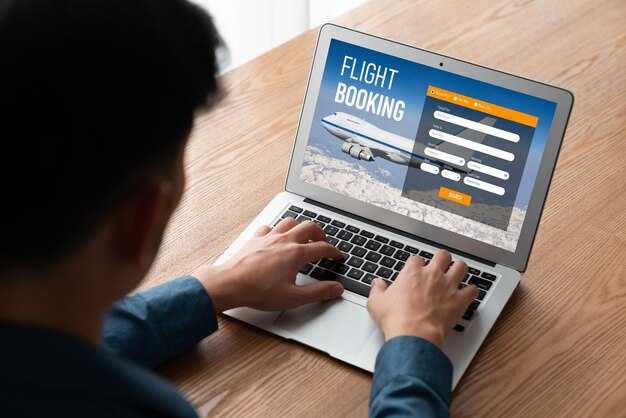
Should Air Canada disruption occur and the airline is responsible, you should request coverage at the gate or the post-disruption desk immediately and keep all notices and receipts; you may qualify for approved ground transportation by road to an alternate airport, hotel, or your final destination if continuing travel is required, with a written confirmation of the approved portion.
Eligibility and Covered Expenses
Air Canada's criteria focus on disruptions the airline controls. If a delay, cancellation, or misconnection arises from Air Canada and you must change plans to continue, you may be eligible for approved transportation coverage. Eligible expenses typically include road transport from the arrivals gate to a hotel or an alternate airport, plus a reasonable portion of meals and lodging when the wait extends beyond a single day. Coverage applies whether you are traveling within canada or internationally, and it depends on the location and the need to land at a different point before advancing. Check signage and notices at the post for the current times and limits, and verify eligibility before incurring costs. If you hold ESTA or other cross-border permissions, confirm how those rules interact with the claim.
How to Claim and Documentation
To claim, obtain a disruption notice at the gate or arrivals desk, then request an approved plan for transportation from the staff. Keep receipts for taxi, rideshare, hotel, and meals, and note the location and dates of the disruption. Submit documentation to Air Canada via the post-disruption desk or the online portal, including your location, intended destination, and the disruption notice. If you must continue to land and then drive or take road to a location, ensure the claim covers the portion of travel from the land to the next connection. Rely on the posted guidance at the gate and gate signage for the latest instructions and timelines.
Covered Transportation Options and How Limits Apply
Choose direct, pre-approved transportation to Nexus enrollment centers upon arrival. Vancouver airport arrivals feed into the process at designated centers where you enroll efficiently. Sign-in at the center, present your travel documents, and complete the declaration steps to start processing immediately. This approach minimizes delays and keeps your schedule on track.
Before you travel, watch the official video to confirm the route and the required forms. The video highlights the notice you must carry and the sequence: begin at the port of entry, check in, then proceed to the designated enrollment area. If you need help, comments from staff are welcome, and you can review the declaration in detail there.
At the port of entry, follow clear directions to the Nexus enrollment centers and present your documentation to the officer. The designated pathways and signs help you reach the enrollment area directly, where staff can issue guidance on next steps and confirm your eligibility to enroll.
Limits apply to what the program covers for transportation. The benefit supports standard, direct trips to approved centers; any additional stops, upgrades, or non-approved options increase your financial responsibility. To stay within limits, enroll directly and use only approved options; after enrollment you will receive a notice outlining coverage and any remaining balance.
Travel to canada from albert region follows the same rules; if you are near the next border area, ensure you follow the same steps and present the required documents upon arrival to enroll.
Options at the Port of Entry
From the port, you can select from three primary options: the airport shuttle, a direct private transfer, or a pre-arranged ride service; all must be designated and approved. Ensure you carry the notice of enrollment and the necessary financial documents to enroll smoothly and avoid delays.
Limits and Practical Tips
Next, stay aware of limits: each applicant can enroll per entry, and family members must enroll individually where applicable. After enrollment, review the video resources for reference and keep notes on any instructions from the centers. If you have questions, you can post comments to the official channels; the center staff can address issues directly to help you enroll with confidence.
How to Submit Expense Claims: Receipts, Deadlines, and Verification
Submit all receipts within 14 days after travel by uploading them here via the site or mobile app. Follow these steps to keep your claim clear and easy to verify.
- What to prepare: itemized receipts for land travel, flights, meals, lodging, and incidentals. Save copies of every receipt and make sure dates, vendor names, and amounts are legible.
- Cover note: include the trip city and dates, purpose, and your contact details. Attach a brief cover that links each receipt to its travel event.
- Missing receipts: add a short comment explaining the gap and, if possible, attach alternatives (credit card statements or bank extracts).
- Payment method: if you used a visa or other card, note the payment type on the cover and attach relevant receipts or screenshots.
- Log in to the site or use the mobile app and open the expense claims section. Here you can start a new claim or edit an existing one.
- Attach all receipts and the cover note. Save each file as PDF or JPG and keep file sizes under the limits specified by the portal.
- Double-check that each receipt clearly shows the vendor, date, items, and total. Add comments where needed to clarify unusual charges.
- Submit the claim. You will see a notice confirming receipt and a reference number you can use to track status.
Deadlines and verification timeline: submit within 14 days of land or air travel; generally, submissions after 30 days risk delay or denial. In Winnipeg centers or other city sites, the review is typically completed within several business days, depending on volume. If the reviewer requires a quick interview upon review, you will be contacted here or via the site’s messaging system; respond promptly to avoid delays.
What happens after submission
- Your claim routes to the appropriate team at participating centers, with reference to global policies and the Trudeau administration’s guidance on travel reimbursements.
- The team may request additional documents or an interview upon their review. Prepare to provide clear answers and any extra receipts or notes.
- Once approved, funds are issued to the original payment method. Save a copy of the approval and the payment confirmation for your records.
Tips for a smooth claim
- Keep receipts saved in a central folder and back them up to mobile storage for easy access during submission.
- For common expenses, include flights, ground transport, hotel charges, and meals with currency and vendor details.
- Check signage at centers to locate the right submission desk or online step; signage is designed to guide you quickly.
- If you travel to a Prince city area, consult the list of participating centers on the site before you submit.
- If you cannot obtain a receipt, attach a brief explanation and request a no-receipt note if allowed; use the comments field to provide context.
- Using the mobile app is free and can speed up processing by sending photos directly from the landing area to saved records.
Status checks and communications: use the site to monitor progress, read any comments from reviewers, and respond to requests. If an interview is needed, you will receive a notice upon submission or in your messages here. Keep your contact details up to date so coordinators can reach you quickly. For questions, reference the site’s help section and the notices posted at the centers, and review the latest stories from colleagues who followed these steps successfully.
Common Issues at Enrollment on Arrival and How to Resolve Them
Submit your enrollment information and create an account on the official site before you travel; this reduces sign-in times at the port. Bring or upload a clear declaration and the required documents, and verify all details match your passport, especially during preclearance at Pearson, Winnipeg, and Houston routes. Travel to canada requires the same enrollment steps; travelers heading to canada should follow the steps outlined here. This applies in canada as well. If you reach the port with any mismatch, ask for staff assistance at the enrollment desk and update your submission in your account. Visit the location sign-in desk for on-site help if needed. Traveler stories from Winnipeg to Prince and other city routes show the value of having accurate data ready amid busy lines. If you have questions, staff will guide you through the steps. Once enrollment is completed, you will see a status indicator on the site. Learn how to manage updates in your account on the site.
Top Issues You May Encounter

These are the most common problems and how to handle them quickly:
How to Resolve and Speed Up Sign-In
| Issue | Root Cause | Resolution |
|---|---|---|
| Incomplete enrollment submission | Some required fields left blank or not submitted | Log in to your account, complete all fields, and submit again; confirm the status on the site |
| Missing or unreadable documents | Documents not uploaded or unclear scans | Upload high-quality copies, or bring originals; check file type and size on the site |
| Name/date mismatch with passport | Data entry error | Update information in your account before arrival; verify against passport |
| Unable to sign-in or locate enrollment on arrival | Account not created or wrong link | Use the official enrollment site, reset password if needed, and use the location notice to guide you |
| Conflicting notice about times or location | Wrong port or outdated information | Check the latest notice in your account; call support for confirmation |
| Block or alert in rapids during submission | System flag or data mismatch | Pause, re-check details, re-submit, and ask staff if needed at the location |


