
Your Rideshare Questions Answered - Safe and Smart Tips

Pre-book your ride to lock in time, confirm the provider, and choose a nearby vehicle. Use the app to verify the driver and plate before you enter, then share your trip with a trusted contact for privacy. This will reduce wait and help everyone ride with confidence.
When you request a ride, set expectations in the app: specify express pickup if you need fast service, and note your pickup location with accurate directions. If demand-based pricing appears, plan around peak hours by pre-booking earlier to avoid higher rates. If you’re combining a ride with shopping, allow extra time and pick a nearby pickup point to minimize walking with bags.
Having a safety mindset helps everyone in the vehicle. As a passenger, you must verify the driver’s name, vehicle, and plate in the app before you start, and keep personal details private. If something feels off, end the ride and request a new car through the provider. Share your ETA with a trusted friend, but avoid exposing live location beyond your trusted circle.
After the ride, note any issues in the app and rate the experience to help improve service. If you found the trip useful, add a quick note for the provider and keep a list of trusted operators for future trips. This keeps you ready for the next ride and reduces risk of repeat problems.
To keep things smooth, plan during shopping or errands by pre-booking a ride a few minutes earlier, so you will reach the pickup curb nearby with time to spare. For shared trips, confirm seating and privacy preferences with all passengers, and choose a vehicle that can accommodate your bags. Over time, staying informed and proactive will yield safer, faster, and more predictable rides day by day.
How to choose the right rideshare vehicle size for a group attending a special event
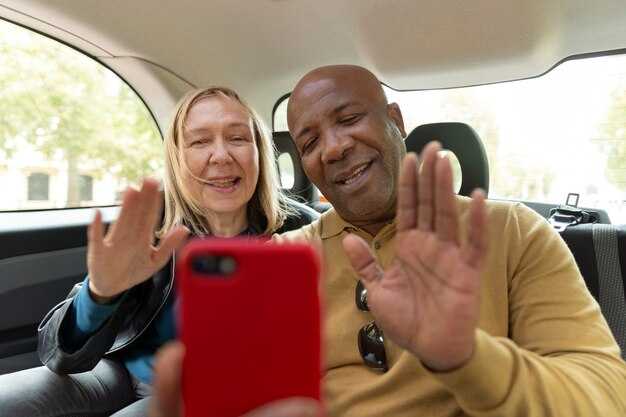
For groups of 5–8 with luggage, select a 7- to 9-passenger minivan or large SUV; this option noticeably reduces worry about space and keeps the entire group together for a seamless arrival. It typically handles 6–8 riders plus baggage with room to spare.
Prior to booking, confirm the headcount and baggage count. Capture each rider's name to help drivers connect with the group, and share a flyer with pickup details and the destination to keep time estimates accurate.
Choose vehicles with amenity options that fit the event, such as ample trunk space and in-car charging for devices. An automated routing feature in the app can provide accurate ETAs and a smoother drive through traffic, reducing risk of delays.
For groups larger than 9, split into two vehicles or reserve a 12–15-seat van; this prevents last-minute changes and added costs, and keeps every rider moving toward the destination without losing coordination and worry.
| Vehicle size | Typical capacity | Baggage capacity | Ideal group size | Pros | Cons | Notes |
|---|---|---|---|---|---|---|
| Sedan (4-door) | 4 | 2–3 | 1–3 | Low cost; easy pickup | Limited space for bags | Best for small, quick pickups around campus or venue entrances |
| 6–7 passenger SUV | 6–7 | 4–5 | 4–6 | Spacious; flexible seating | May require a single vehicle for larger groups | Balanced option for moderate groups with some baggage |
| 7–8 passenger minivan | 7–8 | 6–8 | 6–7 | Roomy; excellent baggage room | Higher rates than a sedan | Ideal for most event groups |
| 12–15 passenger van | 12–15 | 12+ | 9–13 | Single ride for large groups | Parking and access challenges | Best for very large groups with a single pickup plan; compare rates with two smaller rides |
Tips from ridegurus emphasize confirming the name on the account, timing, and sharing the plan with the event host or institution contact. If Muhammad from the venue team is on site, loop him in to prevent gaps and claim a smooth, seamless arrival.
How to split fares and manage payments for group rides
Use the in-app split fare tool to assign shares and collect payments automatically. Start with equal shares, then tailor by distance, stops, and luggage to reflect actual costs.
- Choose the sharing method: Equal shares for a short hop, or weighted shares if some riders take longer routes or carry extra luggage. If you book a limo for a premium ride, adjust the split to keep the bottom line fair for everyone.
- Set up payment methods in advance: Each rider links a card on their phone, and both sides are ready before pickup. This keeps the checkout smooth and avoids delays at the curb.
- Communicate clearly: Send a concise summary of who pays what, the split logic, and the estimated total. Mention coffee stops or additional services only if they affect cost.
- Handle cancellations efficiently: If someone cancels, apply your cancelation rules to determine charges or credits and prevent friction.
- Close out after the ride: Verify the charged amounts, send receipts, and confirm that all contributors have submitted their part. Use the app to speed up settlements and maintain an accurate record.
orleans experiences show that groups often keep a smooth flow after events by using advance prep and a shared note in the office chat. Always keep a simple, transparent and legal process, and focus on the ride rather than payment details. For a quick tip, assign a driver who can express the plan clearly and keep everyone informed using the same phone thread. And if you need a little extra motivation, a quick coffee stop can help calm the group and solidify the agreement on who pays what.
How to plan pickup and drop-off windows to minimize delays at the venue

Set a 15-minute pickup window 30 minutes before the event begins to ensure a timely meeting at the doors.
Use a single, clearly labeled pickup zone and ensure the driver has the exact meeting place provided by you and venue staff.
Set a total buffer of 25–35 minutes around the pickup window to absorb traffic, parking, or gate delays.
Coordinate with the venue to reserve a loading zone and doors access, and confirm the route with the driver in advance.
Window sizing and venue coordination
For Orlando events or Kentucky bourbon tastings, align arrival with the host's schedule and plan a suitable vehicle, such as a limo, to fit the group size. Ensure the driver arrives insured and ready to greet the group at the doors once the venue opens.
Practical steps for options and safety
Offer options for the ride type: a single vehicle, a small shuttle, or a limo, and share pricing upfront so traveling teams know the total cost. Ensure a rewards program is in place for punctual arrivals. The driver should be provided with a clear meeting place and a backup plan in case the primary location is blocked. Document the plan in the venue calendar and your app to avoid changes, and keep the driver informed via the provided channel. This approach keeps the group on a timely schedule and a smooth return to the vehicle after events.
What to verify before booking: driver identity, vehicle details, and safety features
Quick verification steps
Always verify driver identity before booking. In the app, confirm the driver’s name matches the profile photo and the vehicle’s plate as you approach. If the name displayed is muhammad or any name that doesn’t match the person or the car, cancel and rebook a trusted option. Use the in-app chat or call feature to verify directly with the driver; never enter the ride until this check is clear.
Verify vehicle details: confirm model, color, and plate match the pickup info. Inspect the car’s exterior and interior for obvious issues, and verify amenities like seat belts, functional charging ports, and child seats if needed. Cross-check the terminal or hotel pickup location in the app’s route to ensure the ride starts from the intended point. If anything looks off, switch to another option provided by the platform.
Safety features: enable trip sharing and activate the SOS button in the app. Confirm the car has functioning seat belts and airbags; ask the driver about their safety approach and follow the platform's safety checklist. Use the platform's safety gateway to share your live location and ETA with a trusted contact; this provides an extra layer of protection during the ride.
Tips for a smooth start: choose pickup points like hotel lobbies or business terminals with good lighting, and keep your device’s password protected. Compare drivers based on their rating and experience; if you see a professional, popular option with multiple positive reviews, you can feel more confident in their service. For global trips, verify transfers and ensure the carrier is authorized. On popular ubers, the verification steps stay the same, and always review the ride details in the app before starting, noting the источник of the service to avoid scams.
What to do if delays or cancellations occur during event travel
Call the driver through the ridegurus app to confirm ETA and pickup location. If you're in louisville and heading to an event, check the app for the nearest terminals or hotel lobby meet points, and specify where the car is located so you can meet it smoothly. Jerry from ridegurus can be reached via chat if you need help coordinating a new pickup; their recommended tips appear in the app under topics about events and traveling, allowing you to manage privacy. Use the tool to compare options: sedan for individuals, vans for groups, and choose the one that fits your destination and last-minute changes.
Instant steps during a delay
If the vehicle is late, refresh the app, contact the driver, and set a new ETA. Confirm your destination and whether you should head to the hotel or the event venue first, so you can adjust plans with minimal disruption. The app shows where the vehicle is located and the exact pickup point, which helps you preserve privacy while sharing ETA with a trusted contact. Knowing the reason for the delay can guide a backup plan; another sedan or a small van may be faster than waiting for the current ride. If you asked for help, you’ll likely see faster responses from Jerry or the support team.
Cancellations and backups
If the ride is canceled, rebook quickly using the same tool, selecting the preferred vehicle type and pickup point. For events with different venues, know which destination to choose in the app and avoid switching routes. If you need to meet someone, plan a meeting point at one of the common touchpoints like a hotel or terminal, then proceed toward the destination without losing momentum. Always keep a small item handy and privacy settings allow you to share ETA only with a trusted contact. If you asked for help in-app, Jerry or support can guide you to the fastest alternative. Also consider traveling into the next window by choosing another sedan or vans depending on group size and location.


