



 Polski
  English (UK)
  Русский
  العربية
  日本語
日本語  한국어
한국어  Magyar
  Türkçe
  Español
  Čeština
  Svenska
  Português
  Ελληνικά
  Suomi
Suomi  Nederlands
  Română
  Italiano
  Français
  Українська
  Deutsch
  简体中文
简体中文  Slovenčina

Strategy 1: Assign a dedicated Group Check-In Lead who coordinates every arrival window and keeps the plan clear for the guest. Set a target: complete groups up to 60 guests within 6–8 minutes, with a single contact to name the leader and collect essential szczegóły in advance, a role that comes with authority. This role manages bottlenecks, communicates changes, and helps make the guest experience calm and better.
Strategy 2: Design a dedicated group check-in desk, roped off from individual guests, to guide the flow and reduce confusion. Train staff to greet the group leader, verify the list, and confirm the steps of the process. A small team (2–3 agents) at the desk lowers average wait times by 30–40% during peak arrivals.
Strategy 3: Move key details into pre-arrival systems and limit on-site data entry. Use a mobile form or PMS integration to collect rooming lists, arrival times, passenger names, and special requests 24–48 hours before arrival. On site, staff print only exceptions, shaving minutes off each check in the early steps.
Strategy 4: Communicate with the group leader via a single point of contact, sharing a concise arrival plan and what to expect at the desk. Include the name of the contact, the expected arrival time, and the bundle of required szczegóły to avoid surprises. When those details are aligned, the team can greet the group with a unified smile and a warm beam, reducing the chance guests might feel overwhelmed.
Strategy 5: Provide very clear signage and staff training to align with organisational standards for travel groups. Use simple, multilingual copy at the desk, with a quick onboarding script that covers key phrases and the flow for groups. Regularly practicing helps staff feel confident and ready to support every group.
Strategy 6: Streamline the on-site steps and monitor progress with a live dashboard across the systems. Create a status page that tracks each group‘s status from arrival to key handoff, flags delays, and shows who is assisting. This makes bottlenecks visible, so supervisors can reallocate resources and keep the line moving for a better doświadczenie.
Strategy 7: Deliver keys and a welcome message digitally when possible to speed up the handoff and make the guest feel valued. Use mobile key options, a one-tap link for the card, and a compact welcome sheet naming the group’s name and room block. A quick beam of warmth at the desk can cut perceived wait time in half for those traveling in groups.
Strategy 8: Gather feedback regularly and close the loop with actionable improvements for organisational groups. After the check-in, send a short survey to the group leader, track metrics like average processing time per group, and test small changes weekly. The ultimate goal is a smoother, faster, and more reliable experience that travel teams will repeat and recommend.
Standardize Group Check-In Flows: Timelines, Roles, and Kiosk Options
Implement a standardized group check-in flow with fixed timelines, clearly defined roles, and kiosk options to cut check-ins time, reduce lines, and improve experiences for guests. First, map the full flow from arrival to badge pickup and post-check-in handoff, then set objectives that your team can reach. Thank the staff for embracing the change, and schedule regular reviews to keep the process aligned and ensure every step stays checked and ready to scale with any group size. The plan acts as a tank of proven steps, not a fragile script.
Timelines define the rhythm: pre-arrival communication 24–48 hours before arrival; on-site arrival window of 30–45 minutes; processing window of 10–12 minutes per group; post-check-in handoff within 5 minutes. Align these timings with airport-level throughput and your KPIs so managers can see progress after each shift. If a group travels from different time zones, the schedule should accommodate staggered arrivals without creating bottlenecks. If you already have a baseline flow, compare the new timings against it to validate improvements.
Roles keep the flow smooth: Group Lead serves as the on-site liaison for the entire pack; Front Desk Agent handles checks and exceptions; Kiosk Monitor keeps devices online and checked; Supervisor resolves escalations and updates the queue rules. Use a regular rotation so staff become confident with each job, and ensure everyone knows how to assist guests who arrive with large expectations. If teams havent defined the roles yet, start with the four roles above and add backups as needed.
Kiosk options support a digital, online experience without forcing guests to wait. Think of groups arriving like a school of fish moving through a coordinated tank of service options. Offer self-service kiosks with bilingual interfaces, QR code scanning from mobile devices, and optional printer for badges. Provide offline mode for unreliable networks and remote support for airports with spotty connectivity. This reduces lines and queues and over-reliance on any single channel, while keeping the touchpoints friendly and fast.
KPIs to track include check-in completion rate by kiosk, average time to complete a group check-in, percentage of groups using digital/online check-in, error rate per shift, and guest satisfaction scores. Use these numbers to calibrate staffing levels and the needed data fields you must collect to calculate KPIs. If you already have a baseline, compare new results against it and share a simple dashboard with your team to stay aligned on priorities. For airports benchmarking, compare your results against similar group sizes and peak periods to stay realistic and reach the objectives.
Experiences matter more than numbers alone. Gather direct feedback after check-ins and after departures to spot friction points your customers notice. If guests say they hate long queues, reallocate staff to the front of the lines and adjust signage to guide groups efficiently. Yourself should feel confident that the flow is easy, predictable, and aligned with your objectives, not a maze. Reach out to guests with a concise thank you message and an invitation to rate the experience; this helps close the loop and keep momentum. thank the team for adapting.
Before rolling out the standard flow to all locations, run a pilot with a small group of friends or internal staff and measure the impact. Create a ready-to-use pack with signage, laminated badges, and quick-reference cards for front-line teams. Train the teams in digital, online, and kiosk options so they can switch seamlessly if a device fails. If a location has high regular demand, schedule additional kiosks for peak times.
Common issues and concrete solutions: miscommunication about the group size or rooming can cause delays; fix by pre-event confirmation and a single point-of-contact. Missing or mis-scanned badges? Use a double-check process and a backup printer. If queues build up, dynamically reallocate resources and use a lightweight alert system. Keep check-ins simple and repeatable, with clear handoffs and a visible queue map to help guests see where to go.
When the flow is aligned with the KPIs, you reach faster turn times, higher satisfaction, and more scalable operations. Use a regular cadence for revisiting the check-in design and update the digital/online steps as new options become available. Thank the team again for adopting the changes, and never stop refining the process to avoid stagnation or fatigue. If you’ve already achieved a base level of performance, push for the next milestone and keep the momentum going.
Align Beam with Group Billing and Rooming: Data Capture and Authorizations
Implement a single scan-driven workflow that links group billing to rooming at check-in. Use kiosks or mobile devices to capture data from the group lead, attach it to a shared billing profile, and pre-assign room blocks. Require authorization before posting charges to the master account, and after you confirm rooming details.
Capture essentials: group name, master account number, block name, rooming list with guest names, arrival times, bed types, accessibility needs, contact details, loyalty numbers, and expected incidentals. Use a standardized form to reduce times and errors, and provide open access to the review trail where they can verify data.
Authorizations: The group lead approves the master account for the block and sets spend limits. Capture authorizations in a secure token and post a formal record; if approval is conditional, apply a hold on charges with explicit expiration times. Honestly inform the team about constraints to maintain trust.
System integration: Tie the data feed to the PMS, POS, and housekeeping so alerts and rooming changes reach all relevant teams. If the property uses metal key cards, pair them with the block to speed verification; otherwise rely on mobile keys. This setup will allow real-time updates and goes smoothly for staff and guests.
Security and governance: Enforce role-based access so only authorized staff can modify billing; maintain an audit trail; perform regular post-transaction reviews; train employees on the workflow. However, keep edits auditable and restrict changes to explicit times; some edits might require a quick sign-off.
Experience and engagement: Open lines of communication with the group lead; post-arrival summaries; thank them for choosing your property; present loyalty offers and engage them with engaging content and practical tips. Focus on things that create something tangible for the group while keeping the process open and friendly.
Measurement and optimization: Track check-in times, accuracy of rooming data, authorization holds released, and guest satisfaction; use the case to boost growth and refine the workflow. Times saved, case findings, and growth metrics guide continuous improvement.
Edge-case handling: If any field is missing, flag immediately and route to an on-site supervisor for quick fill-in; avoid fish data and ensure accuracy.
Pre-Arrival Prep: Collect Critical Guest Details and Preferences
Launch a pre-arrival digital form to collect guest details before arrival. Keep it concise, secure, and easy to submit via email or a mobile link. Align fields with policy and regional rules to reduce back-and-forth at front desk and speed the check-in flow, reducing the walk for guests. Use this data to tailor the front desk hand-off and boost satisfaction for each guest. Master data capture keeps one profile per guest and makes future stays easier, while showing where guests are flying from and how airline schedules align with arrival times, providing a clear ease for operations.
Key Data to Capture
- Identity and contact data: full name, primary phone, email, home address, passport number or national ID where required, nationality, and date of birth (as policy).
- Travel and arrival details: airline, flight number, city of origin, scheduled arrival time, terminal information if known; note mobility needs or traveling with dependents to plan staff assignment.
- Payment and access preferences: card on file option with guest consent, billing address verification, incidentals handling, secure storage method, and clear opt-out options if needed for check-in flow.
- Room and stay preferences: bed type, smoking preference, accessibility needs, language, wake-up time, preferred floor or area near front desk, amenity requests (iron, kettle, crib).
- Communication preferences: preferred channel (phone, SMS, email), language for confirmations, timing window for pre-arrival updates.
- Special considerations: dietary restrictions, arrival time, transportation needs, late checkout, and an on-site contact for coordination.
- Data governance: how details are used, who may view them at front desk, how updates are handled, and removal of data after stay.
To reinforce a smooth flow, plant a habit of updating details before arrival. These inputs feed the guest profile, help where guests are flying from, align with airline schedules, and reduce on-site friction. This approach makes the check-in smoother and boosts repeat guest satisfaction.
Front Desk Automation: Scripts, Staff Roles, and Real-Time Status Updates
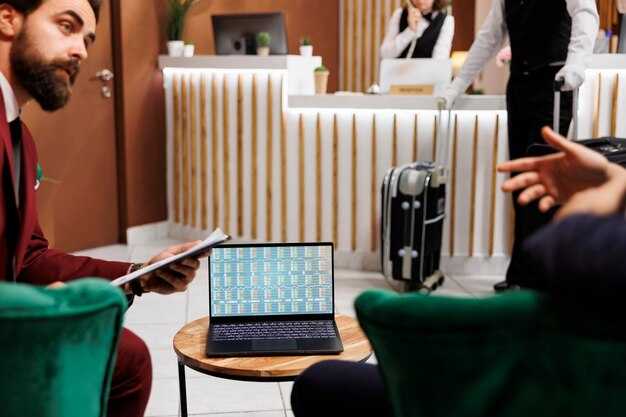
Deploy centralized front desk automation systems with standardized scripts and real-time status dashboards to cut average group check-in time by 20% within 30 days.
Build a modular script library that covers three main paths: walk-ins, prepaid groups, and mobile pre-check-ins. Each script is specific, includes steps, uses a friendly but concise tone, and guides the interaction to verify guests, capture essential data, and update the system with a single hand-off to the next step. Include prompts on greeting, arrival line, room type, rate plan, and number of guests. Keep information structured so staff can scan a QR code or enter a short prompt to trigger the right variant, reducing serpentine line friction and perceived waiting time. The result is an engaging, productive body of touchpoints that guides guests and staff without overload.
Define staff roles with a hybrid model: automated scripts handle data collection and initial greetings, while front desk agents handle exceptions, upsell opportunities, and complex group needs. Assign a floor manager as the primary on-duty authority to approve room assignments and handle shortages. Create a clear hand-off protocol: readiness, accuracy, and a warm transfer to the guest. Include a brief handover note for the guest that is handed to the next staff member during the transition. This focus reduces frustration and increases positive guest perception. Document roles in a simple diagram and share it with managers and team leads for quick reference.
Implement real-time status updates in a central dashboard visible to managers and supervisors. Use color-coded blocks for each phase: check-in, payment, room assignment, and back-office tasks. Enable staff to update status with a quick scan of a guest QR or session code; the system pushes the change to the line and to other departments. This reduces duplication and speeds handoffs. Keep the dashboard accessible on desk devices and mobile devices with a refresh cycle of 12–24 seconds. Schedule brief daily reviews to adjust scripts based on feedback and kpis. Nothing distracts from guest flow when the UI remains clean and actionable.
Track kpis such as average check-in time, first-touch resolution rate, and guest sentiment score. Use a simple rule: if a score falls below 4.5/5, trigger a quick coaching moment for the team. Compare past data to current performance to show progress line by line. Publish a weekly report in the information feed that managers can access exclusively; include charts, top performers, and a list of recommended improvements. Include the source (источник) of all data to maintain trust.
Implementation steps you can adopt now: Step 1 – Audit current check-in flows and identify bottlenecks. Step 2 – Build a modular script library with at least three variants. Step 3 – Define roles and the hand-off protocol. Step 4 – Deploy a pilot on one shift and collect feedback for 14 days. Step 5 – Roll out across all shifts with ongoing coaching. Step 6 – Review kpis weekly and adjust. For each step, assign owners and a due date to keep the effort focused and actionable.
Provide staff with a clear offer: a choice between automated prompts and human assistance, so guests feel positive control. Know your guests through the system, but do not rely exclusively on automation. Blend smart automation with human warmth to keep interactions human. The front desk should know when to escalate; if a guest seems frustrated, managers step in to deescalate and offer alternatives. Use a serpentine line analogy to remind teams to flatten paths and avoid zig-zags in guest flow.
Measure Success in Real Time: Turnaround Time, Accuracy, and Guest Satisfaction
Launch a real-time dashboard that updates every 30 seconds and links Turnaround Time, Accuracy, and Guest Satisfaction to each group check-in. Know the current TAT at every stage, surface deviations within 60 seconds, and trigger automatic alerts to the front desk when deadlines approach. This visibility keeps inside teams aligned, avoids fatigue, and prevents weary staff from losing momentum, enabling quick decision-making.
Turnaround Time: define three stages–arrival-to-desk, desk-to-room assignment, and key handoff. Set a clear target (for example, under 5 minutes for groups of 4–6) and expect speed to rise with standardized scripts and checklists. When the system shows a rise in TAT for a given group, the beam color changes to amber and a phone alert goes to the team lead. If the threshold is exceeded repeatedly, address it as an opportunity to redesign the process, not as a blame game.
Accuracy: track correct room type, rate plan, and guest profile on every check-in. Use a two-step verification: auto-fill from the PMS plus a quick human confirm for special requests or customs. Aim for 99.5% accuracy in room assignment and billing data. If an error slips through, the dashboard flags where it happened and who’s responsible, ensuring you address the root cause rather than the symptom.
Guest Satisfaction: collect immediate CSAT or NPS prompts during or right after check-in. Tie the score to the check-in event and to the staff member handling the group. A 1-minute post-check-in pulse survey boosts response rates; show guests what’s already resolved and what’s next. An engaging moment–phone call to confirm arrival, a warm lobby greeting, and acknowledgement of preferences–can boost guest satisfaction and support growth.
Real-time metrics to track
Turnaround Time, Accuracy, and Guest Satisfaction should be tracked per group and per team member. Use the data inside your PMS and channel manager to keep searches for bottlenecks fast. larson’s team found that early alerts cut average TAT by 25% and increased CSAT by 12 points; the same approach works across properties with similar customs. The dashboard should show where’s the bottleneck (where’s arrivals, card scans, or room placement) and which goods–keys, passes, or welcome packets–need handoffs to complete the check-in.
Actionable steps to boost real-time performance
Design a simple, color-coded dashboard that beams the three metrics: green for on-target, amber for near-threshold, red for at-risk. Connect every alert to a concrete action (a phone ping to the supervisor, a quick check-in redo, or a guest-facing apology with a goodwill gesture). Train staff to master the standard check-in flow and to engage guests in a calm, respectful way that aligns with expected customs. Set early deadlines for each stage so the team can anticipate needs; they’ll reduce idle time and keep the line moving. Use the data to identify opportunities for growth–adjust staffing during peak checks and refine the check-in script to shorten the time between arrivals and room readiness. That you’re consistently addressing issues, you’ll see fewer weary delays, happier guests, and a stronger opportunity to boost loyalty.
Komentarze