

Your Rideshare Questions Answered - A Practical Safety Guide


Always verify the driver’s name and license plate before you enter the vehicle. In mexico city airports and sunport zones, the app shows the pickup code and vehicle details above the map; if the match seems off, cancel and request another ride. Being prepared to switch rides quickly protects you in every busy curb or pickup zone, where demand-based shifts can happen in minutes.
Know what to do if something feels off. Turn on location sharing with a trusted contact, and use the in-app safety button to contact support immediately. Choose the mode that fits the situation: standard ride, pooled option, or a private shuttle mode. Estimates show that quick confirmations cut risk by a noticeable margin, so take a moment to verify before you step in. If youre in a dim or secluded lot, request pickup in well-lit areas and stay visible until the driver arrives.
What you look for at pickup matters: verify the car shown in the app, confirm the driver’s name, and watch for signs of tampering. The app may assume a straightforward route, but if traffic blocks the path, ask the driver to switch to a different route or mode. Special safety tips include staying on the curb, facing traffic, and keeping valuables out of sight. If you see anything unusual, cancel and call support for live guidance.
For extra resources, bookmark shuttlewizardcom safety tips. They provide a quick checklist of what to verify before entry, how to report issues, and where to seek live support if you lose signal. The platform describes common scenarios from airports to city rides and outlines steps you can take to stay safer on every ride.
Longer waits can happen in peak hours; keep directions to the left side of the pickup zone and stay aware of your surroundings. By staying alert and using the tools above, you can reduce risk while you move from sunport gates to city streets with ease.
Pre-Trip Checks: Confirm Vehicle, Driver, and Route
Always verify the vehicle, driver, and route before boarding. Use the booking app's tool to confirm the plate, color, and model, and match the driver’s name and photo with the profile. This step helps keep small shuttles and larger options aligned with your booking. From the curb, confirm the vehicle’s plate and signage, and set the ride mode in the app to ensure it matches your plan.
-
Vehicle verification: Check the plate number, vehicle type, and color, and compare them with the booking details. If the app shows a different vehicle, contact support before pickup. On arrival, do a quick exterior check for damage and ensure seat belts are present inside.
-
Driver confirmation: Confirm the driver’s name and photo match the app. If you see a different name or a mismatched logo, do not enter the vehicle and request a new ride. If you are traveling with others, share the driver name and plate with those in your group.
-
Route and navigation: Open the live route in the app and compare it with your intended destination. Beware of detours or changes that extend travel time. If surge pricing appears, verify the ride type and estimated arrival with the provider before accepting.
-
Booking and pricing: Review the pickup point, destination, and time, plus the fare estimate and surge notice. The app allows a quick comparison across providers and booking options if the price feels off. Confirm hours of operation for late rides to avoid issues after-hours.
-
Support and record-keeping: Keep a copy of the booking and route, and note any discrepancies. If something goes wrong, contact support through the in-app chat or call center. In regions like macon or mexico, local offices may offer a different contact path or hours.
Verify Driver Identity and Vehicle Details
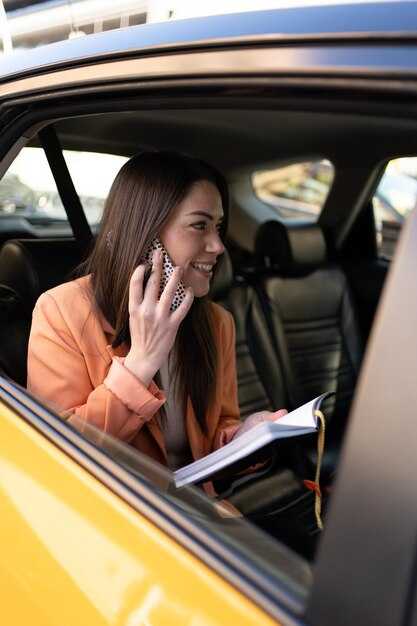
Always verify the driver identity before you enter the vehicle. Know the right driver by checking the name, photo, and license plate in the app, then perform a quick comparison with the person who pulls up. Confirm the car’s model, color, and the route shown for your ride-sharing trip; if details don’t align, wait for a correct match and avoid getting in. This upfront check supports safe travel, boosts total satisfaction, and keeps your journey convenient, flexible, and user-friendly.
When you book, follow these steps: ask the driver to confirm their name and plate, then verify them against the in-app details. Check the vehicle’s make, model, color, and any visible stickers, and ensure the route matches your destination. If anything mismatches, beware and cancel, then request another ride. Only rely on the app's official pickup screen for confirmation. When that screen shows a match, you can proceed with confidence.
Keep a record of the pickup: screenshot the driver’s name, plate, and car details in the app before you start; this gives you evidence for future reference and enhances total safety. In a comparison with taxis, ride-sharing apps provide built-in verification and in-app help, which supports every step of the journey and contributes to your satisfaction. The average risk of unverified street rides is higher, so using these checks lowers risk. If you feel unsure, you can cancel and request a new ride without penalty.
For a first, convenient, and safe experience, know that identity and vehicle checks are essential. Only approve the pickup when you’re certain of the match; then you’ll have a high level of safety and a smooth trip. You’ll enjoy a ride that’s high-quality and reliable. Across seasons, these checks provide flexibility and a user-friendly, safe foundation that lifts total satisfaction with ride-sharing.
During the Ride: Personal Safety Practices
Always verify the driver and vehicle before you enter. Check the license plate, color, model, and the driver’s photo in the app, and confirm the name matches. If any mismatch arises, cancel and request another car. Having the app show a live location and the option to share it with a trusted contact adds protection. If the driver is listed as alvarado, double-check the badge and plate before stepping in.
Fasten your seat belt as soon as you settle in, and sit in the back row when possible. For door-to-door trips, watch the route and request a stop if the driver deviates. Keep valuables out of sight and avoid flashing money.
During the ride, use in-app safety tools, including special safety features: share trip status, enable live location, and press the emergency button if something feels wrong. Trust your instincts; whether the driver ignores a requested route change or makes unexpected stops, request to end the trip at a safe, well-lit location.
Fares and rates vary with demand-based pricing, especially at peak hour times. Most ride-hailing apps show an estimate before you confirm; compare offers from different companies when you can, and decide whether to ride now or later. If you’re traveling with a group, split costs through the app to keep everything transparent.
Airport rides: if you’re heading to a flight, align pickup with your flight schedule and choose a well-lit, public drop-off. After the ride, please review the receipt, report concerns through the app, and save the ride details since you may need them later.
What to Do If You Feel Unsafe or Harassed
End the ride at a safe, well-lit, populated area and contact in-app safety support immediately. If you can’t exit safely, call local emergency services. Use the trip-sharing features to alert a trusted contact and log the incident in your ride history for later review.
Immediate actions and safety tools
Know upfront the details before you start: driver name, car model and color, license plate, and the exact route. In rides with types such as limo or standard cars, verify these fields on the ride screen. Confirm the ride in cities like albuquerque or mesa to ensure you’re matched with the right service.
During the ride, stay alert for red flags. If harassment occurs, clearly tell the driver you’re uncomfortable and request a safe drop-off. Use the safety button to share trip status, contact support, or call emergency services. If needed, end the ride early and switch to another option.
After the ride, document what happened: note the time (hour), location, and a concise description of what was said or done, and who was involved. Keep a complete log of every incident. Save any messages or photos, and review the receipt to check prices and total charges for any unexpected fees or upsell attempts. Report the incident with concrete details to help the company take action.
Learn from experiences and topics shared by riders and safety gurus. For practical guidance, consult airporttransfercom and known safety resources. in june, demand can spike in late hours; be cautious when booking during high-demand periods when prices may surge. Plan ahead, compare money costs, and choose a convenient option with a wide range of cars, from sedans to limo, to reduce risk on future trips.
Using In-App Safety Features: SOS, Trip Sharing, and Trusted Contacts
Enable SOS immediately, then configure Trip Sharing with 3–5 trusted contacts and create a safety group for quick access. This practical setup helps you stay protected whether youre navigating busy cities or traveling across longer distance trips, and it adapts to different seasons when lighting or weather changes. Keep fare and route data visible so those watching know what to expect.
The SOS feature triggers an alert to local responders where supported and shares your live location, your current route, and basic vehicle details with your predefined contacts. Notifications arrive quickly, helping friends or family coordinate a response without delay. This reduces the risk of losing track and gives you a clear range of options if a situation unfolds. In most apps, activating SOS carries no extra charges; verify terms in your safety package and note any data transfers that could affect privacy or limits.
Trip Sharing broadcasts your trip to groups of friends or family. Share a live link so they can watch your progress as you cover the distance across cities. Set the sharing window to a fixed time or end it manually when you arrive. This tool improves awareness without cluttering your notifications and lets everyone stay aligned with your pace and route, even when you switch cars along the way. Data transfers stay under your control, and you can pause sharing if you move into a low-coverage range.
Trusted Contacts: pick 3–5 people who respond quickly and know how you travel. Share your trip with them by default, and remove anyone who moves out of your circle. Run a quick test by sending a mock trip to your own device to confirm updates populate correctly. Recheck consent and adjust who receives updates depending on their availability, their time constraints, and how you value the safety tool within your transportation routine.
Practical tips for seasons and cities: review fare expectations and the rate schedule for your area, keep the safety package up to date, and use the forum to compare experiences and recommended practices. If you ride in groups or with transfers across longer routes, ensure everyone understands how to read live updates and how to control their data sharing. The safety features are designed to be accessible and easy to use, so you can focus on the ride rather than worrying about what might happen next.
Handling Delays, Cancellations, and Driver Changes
Cancel and rebook right away if the estimated arrival drifts by five minutes or more; this keeps your schedule on track. In america, published policies vary by provider, but the core steps stay the same: verify the ETA, communicate with the driver, and rebook when needed. Use the ridegurus forum for tips from other riders; the advice often applies to both uber and local providers, and it starts with quick, calm action. Please keep your rate predictable and your plan intact by acting promptly.
Delays
- Check the route and traffic in the in‑app map; the route can vary with real-time updates and road work. Expect the estimated time to adjust as conditions change.
- If the delay hits five minutes or more, consider canceling and rebooking to secure a fresh ETA and a nearby pickup point; this often reduces overall wait time.
- Communicate with the current driver via in‑app chat to share exact pickup instructions and a safe meeting point; please keep messages concise to avoid confusion.
- Explore alternatives within the same market if your schedule is tight; you may transfer to another vehicle or provider that offers a closer pickup or different route.
- Keep plans flexible but practical: confirm your backup option and avoid long, uncertain waits in unsafe areas.
Cancellations
- Cancellation policies are published in the app and vary by provider; check the exact terms for uber and your local providers. Usually there is a grace period (often a couple of minutes) where cancellations incur no fee; after that, a small charge may apply.
- If a ride has not started and you need to cancel, doing so promptly preserves your ability to rebook at a similar rate; waiting can lock you into a higher fare or surge.
- If the driver cancels, you typically won’t be charged; the app will prompt you to rebook with an ETA update and may offer a close alternative route.
- When you cancel due to a delay or safety concern, contact support and note the incident; this helps with potential refunds and keeps your ride history accurate.
Driver Changes & Transfers
- If a new driver or an updated vehicle arrives, verify the name, plate, and vehicle before you enter; it starts with checking the in‑app photo and plate match.
- Ask for a fresh ETA after the change and confirm the pickup location; a quick check avoids confusion at a busy curb.
- If the change is outside your plan, you can request to transfer the ride to a different provider in the app where available; if not, cancel and rebook with your preferred provider.
- In all cases, keep your personal information private and stay in well‑lit areas while waiting; safety in the local environment matters as much as timing.
- After the ride, rate the experience fairly and note any special concerns in the forum or with ridegurus so other riders benefit from your experience; sharing helps improve the community’s responses over time.
Rideshare Safety Statistics: What the Numbers Reveal
Enable trip sharing with a trusted contact before every ride; verify driver identity and vehicle details in the app to reduce risk. This quick step might last seconds and takes one tap to confirm, ensuring you have someone watching your trip and protecting everything you value along the way.
Across america, published dashboards show incidents ranging from 12 to 22 per 100,000 trips by city and time of day. Harassment or unwanted contact accounts for about half of safety reports in many markets, with property loss and vehicle issues rounding out the details. Across city networks, response times improve when riders use in‑app alerts, ride-check, and public safety integrations that address emergencies in real time.
In albuquerque, near the sunport and surrounding neighborhoods, incident rates tend to run around 16 per 100k trips, with shuttles and airport transfers showing slight differences from solo rides. Even at busy hubs, driver verification and identity checks have published impact on risk, and riders who enable trip sharing and quick in‑app reporting keep the escalation path clear for public safety partners.
City‑level patterns emphasize various safety targets: keep rider data private yet accessible to authorities, maintain up‑to‑date driver licenses and vehicle details, and ensure easy access to help at every place a ride starts or ends. Potential incidents decrease when trip details are monitored in real time, and addresses of pickup and drop‑off points are clearly displayed to reduce ambiguity in crowded areas.
Shuttles and flexible ride types offer additional protection by distributing risk across different travel modes. Flexibility matters most for airport transfers, campus routes, and short hops between hubs, where published figures show lower waiting times and quicker assistance when needed. Topics like lighting at pickup points, verified driver photos, and reachable SOS options remain top priorities for rider trust and public accountability.
To translate numbers into safer practice, use a concise checklist: verify the driver’s name, photo, plate, and route progress; keep your phone ready to share live location; and ensure your trip is shared with a trusted contact who can address issues quickly. This priority helps you deter potential problems and safeguard everything from your personal belongings to your peace of mind across america and beyond.
| City | Incidents per 100k trips | Harassment reports share (%) | Avg response time (min) | Safety feature adoption (%) |
|---|---|---|---|---|
| Albuquerque | 16 | 62 | 4.2 | 68 |
| Chicago | 22 | 58 | 3.6 | 75 |
| Portland | 12 | 45 | 5.1 | 70 |
| america (national average) | 18 | 63 | 4.0 | 72 |


