
Car and Van Rental at Manila Ninoy Aquino International Airport T2

Take action now and rent on-site at Manila Ninoy Aquino International Airport Terminal 2 to start your trip without delays. This setup keeps you close to the arrivals area and reduces the time you spend chasing an off-site counter. Roads leading to the terminal pickup bays are clearly marked, and staff can point you to the correct lane for your rental.
Before you sign a contract, review the terms on mileage, fuel policy, and insured coverage. The provision on collision damage waiver and theft protection helps you avoid illegal charges and unexpected fees. For smooth dealing with the desk agent, verify space, seat configuration, and baggage capacity separately.
At the counter, multilingual agents greet you with clear explanations and practical recommendations. You would appreciate quick, friendly assistance as you compare options for cars or vans. When you need help, ask for a short action plan: pickup steps, essential documents, and after-hours support.
Prices vary by model, season, and pickup location, with daily rates typically ranging from PHP 2,500 for compact cars to PHP 6,000 for full-size vans. If you book ahead, you lock in a favorable rate and avoid last-minute markup, giving advantages for future trips. The desk can also arrange add-ons such as GPS, child seats, or an extra driver, with pricing and options laid out in the provision of your contract.
When you pick up, do a quick walk-around, confirm fuel level matches the policy, and ask about the mobile checkout so you can operate the car confidently. To avoid last-minute stress, you can again schedule a return time that aligns with your flight and note the drop-off procedure. With on-site options at T2, you gain speed, control, and reliability for every leg of your trip.
NAIA Terminal 2 Car and Van Rental Desks: Exact Location and Access
Go to the Arrivals Hall of NAIA Terminal 2 and head to the car and van rental desks located beneath the main signage, opposite the baggage carousels. Use the maps in the airport app or the on-site maps to verify the exact desk cluster.
Signage clearly marks two car rental counters and one van rental counter within 100 meters of the baggage claim area, near the Freeport Duty Free store. Hours vary by provider; check the posted hours at each desk for the latest updates. Each kiosk displays its policy clause and the charges for late returns or changes, so you can plan without surprises.
Access from arrivals is straightforward: follow the pedestrian corridors to the rental desks, using the elevator or escalator to align with the counter level. If you arrive by train or metro connection, use the terminal link to Terminal 2 and follow the shuttle loop between nearby points if you have heavy luggage carriage.
What to bring and what you’ll find: bring your passport or naïm, a valid driving license, and a payment card for deposits. Options include compact cars, sedans, SUVs, and vans; child seats and additional driver options are commonly available as included or add-on items. The displayed values come with guarantees on price and a clear value proposition, with data and changes posted at the counters and online. If plans shift, the policies cover changes and refunds, and chargeback procedures are noted on receipts.
| Desk | Location in Terminal | Access | Hours | Included/Options | Payment | Notes |
|---|---|---|---|---|---|---|
| Car Rental Desk A | Arrivals Hall, opposite baggage carousels, near Freeport Duty Free | Ground floor; follow blue signage from the main exits | Hours vary by provider | GPS, basic insurance, one child seat; naïm pass option available | Major cards, cash; some desks support chargeback | Clauses on late returns and changes are posted; data updated hourly |
| Car Rental Desk B | Adjacent to Desk A, same cluster | Ground floor; short walk from Desk A | Hours vary by provider | Additional driver option; vehicle accessories per availability | Credit/debit cards; some desks accept cash | Signage lists policies; trustindex reflects customer feedback |
| Van Rental Desk | Nearby the car desks, near Freeport area | Ground floor; easy access from arrivals corridor | Hours vary by provider | 7- to 12-seat vans; cargo space details shown at desk | Cards preferred; some desks support cash | Shuttle access available between nearby points; changes in rates shown |
What Name Will the Welcome Board Display for the Assistant
Display "NIA T2 Assistant" clearly on the welcome board to greet arriving guests and drivers at Manila Ninoy Aquino International Airport T2.
In january and across this region, signage must be legible from a distance, especially for guests arriving from flights and trips; the name should be static so staff and drivers would recognize who will help them. Willing staff should be ready to assist to speed up the welcome process.
The name on the board verifies desk details and directs guests to the Car and Van Rental desk, with a line stating pickup location, charges, and vehicle options. The signage entitles travelers to a clear greeting and concise directions, also stating hours and contact information.
When travelers come from italy or other towns, the signage should also include a line like "Greeted by NIA T2 Assistant" and present essential details such as desk location, hours, and contact. This approach has been designed to be welcoming for arriving passengers and for staff who manage rides, trips, and vehicle allocations and are willing to assist immediately.
To keep the experience dynamic, add a rolling lower line that shows available vehicles, ride options, and basic policies, while stating the desk hours. The board would definitely reduce confusion for guests arriving on government flights and coming from regional terminals.
Copy and Layout Recommendations
Use bold, high-contrast signage with a large top line: NIA T2 Assistant. The second line can read: Car and Van Rental Desk. A rolling lower line can display updates on vehicles, rides, and charges, while ensuring the language remains concise and friendly.
Rental Operators at Terminal 2 and Their Signage Styles
Select the operator with clearly listed pickup areas and door-to-door service notes at Terminal 2 for a smoother handoff and quicker access to your car. A nice, clear sign can make the pick-up into a smooth, quick task.
Look for signage that shows the operator name, pickup area, and direct agent assistance; signs that are updated and reflect any levy or costs. Some signs indirectly guide you to the right counter through color codes and logo placement. The best signs list the areas and notes about porterage and whether it is provided.
Confirm details at the counter with a duly authorized agent, and review the clause about service levels. Use wwwparadigmairportservicescom for the official operator list and notes; this source is deemed reliable by many travelers and helps you compare options. The setup is made to be efficient, and signage typically aims to support a smooth, door-to-door transition.
If you need expedited processing, check which operators offer expedited pickup and ensure the process is clearly listed on the sign or at the counter. Signs also indicate door-to-door pick-up options for convenience, and may show whether porterage is available or not.
Keep your notes handy so you can reference the operator name and provided terms during pickup, avoiding miscommunication and delays.
Signage Styles and Operator Names at Terminal 2
Signs use distinct colors and logos to help you spot the right counter: e.g., red panels for one operator, blue for another; large, sans-serif name text with a supporting icon. Some operators post a small map indicating the pick-up areas and zones; others rely on simple lists with the area label and logo, making it easier to guide you directly to the desk. Digital boards or laminated placards may include the area and a note about porterage or door-to-door service, so you can decide which line to queue for. Signage provided at the curb often includes the operator name and a phone or agent contact so you can listen for directions from staff if you are unsure.
Practical Steps for Quick Pick-Up and Clear Communication
To avoid delays, locate the sign with the operator name and pickup area first, then proceed to the matching desk. If you see a notes field on the sign, read it for any minute details about where to go next or how to handle luggage and porterage. If a clause mentions doorstep service or door-to-door transfers, ask the agent to confirm the exact pickup point and whether direct transport to your vehicle is included or charged. If you cannot locate the desk, use the official URL above or approach the first staff member in the area; their guidance tends to be concise and provides the necessary information to proceed with the rental. Always confirm costs upfront and ensure any levy is clearly listed to avoid surprises after you sign. When you receive the keys, verify the provided name on the rental agreement and the pickup location so you can reach the car or van with smooth convenience and minimal steps.
Where to Meet the Assistant: Arrivals Hall Meeting Point and Sign Visibility
Meet the assistant solely at the Arrivals Hall on the ground floor of Terminal 2, beside the information desk. The helper holding a clearly visible sign reading infoparadigmairportservicescom, with your name in bold letters. A stable signboard and a focused LED ensure visibility from the baggage claim toward the walking lanes. This major meeting point is adjacent to the exit doors and the car rental desks, providing instant convenience for your pickup, especially for hotels and travelers from other regions. The flow is definitely straightforward, and this option is the best to avoid confusion.
To speed the process, have your booking reference ready and be prepared to show the primary cards you will use for the rental. The assistant holding a tablet with your reservation details guides you to the pickup bay without detours, in relation to your needs, and likely faster than alternatives. If the sign is not easily located, the advised email contact is infoparadigmairportservicescom; the team responds with reasonable turnaround times and can coordinate an alternate meeting time if your flight is delayed or there are cancellations, with updates coming soon to keep you informed and to avoid surprises.
Sign Visibility and Meeting Point Details
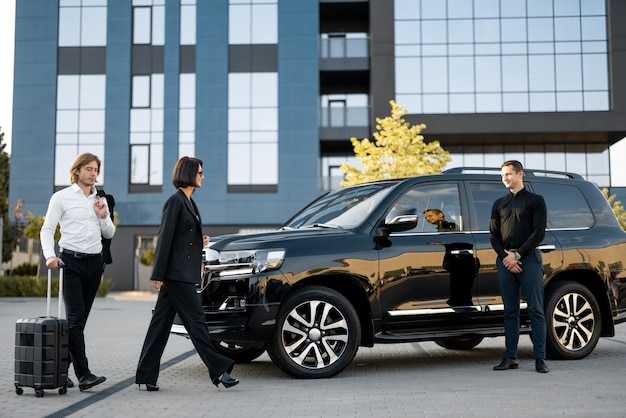
The sign uses high-contrast letters on a white panel, about 12 cm tall, positioned to stay visible even in crowded arrivals. Look for it near the central information desk and the main exits, so you can recognize it while walking from baggage claim. Passengers arriving from pampanga or other regions will find the same point works for a quick transfer, avoiding extra walking and confusion. The staff is determined to help you and your guest meet with minimal delay, and the arrangement offers convenience and confidence throughout the handover.
What to Have Ready and How to Confirm
Bring valid IDs, the driving license if you plan to drive, the booking reference, and the cards you will use for payment. The assistant can accept cards for deposits or payments on the spot. If you have goods or luggage requiring special handling, mention it up front; the team can arrange appropriate pickup at your vehicle. For travelers with injury or needs, the meeting point offers extra assistance and a comfortable waiting area. If flight schedules shift, cancellations are processed quickly, and the team will propose a new arrival time; you may receive a message soon after changes.
Sign Design Details: Colors, Logos, and Language on the Board
Use high-contrast colors and a clean sans-serif font for every board at Manila Ninoy Aquino International Airport T2, ensuring legibility from the driving lane and near pickup stands.
Adopt a single, cohesive system across all rental counters to support a consistent location signal for guests and staff, including pampanga and baguio service areas; during weekdays and weekends the same system keeps information current, with the director and professionals handling updates and checks.
- Colors and contrast: pick a palette with white text on a deep background or dark text on a light panel; limit to two main colors to reduce confusion and preserve budget-friendly fabrication.
- Logos: display the official logo in full color on light panels with clear space around it; keep a monochrome variant for dark backgrounds; ensure the logo remains legible at a 40–60 pt size on smaller boards.
- Language and copy: use bilingual English and Filipino; keep lines short (one idea per line); label essential actions with icons and short captions like Delivery, Pickup, and Same-day; test legibility by speaking with staff and evaluating understanding for non-native speakers.
- Layout and placement: position boards at the location where guests first approach rental desks and along the track to the pickup stands; ensure the height is about 1.4–1.6 meters for easy viewing by drivers in cars; use durable stands that resist weather and crowds.
- Maintenance and validation: assign a responsible director or project owner to handle updates; review copy today and schedule regular checks; track feedback from customers in Pampanga and Baguio to ensure the design meets local expectations.
These steps create a consistent, hassle-free experience that matches the paradigm for clarity across all locations and services, including food courts, delivery desks, and trip planning points.
If the Sign Isn’t Visible: Contacts and Next Steps
Call the T2 Car and Van Rental Desk on duty now to confirm the specific counter location; they will guide you to the correct station if the sign isn’t visible.
Proceed to the wide arrivals hall boards showing the rental product options across the areas; if signage is missing, ask at the information desk for the same directions. If boards were unclear, ask for precise directions to avoid extra walking.
Today the pickup zones sit on a large property footprint; during January, heavy traffic and queues can slow arrivals, so use the shuttle between terminal zones to reach the rental desks efficiently.
Prepare written checks: bring your license, booking reference, traveler passport, and any content related to the rental; staff will perform checks and handle the formalities smoothly.
If a desk is held or temporarily closed, they won’t refuse help; ask for the same alternative counter or a supervisor; they can provide a direct request, a mobile number, or a written note to keep you moving.
Verify prices, added products, and cleaning options; today’s prices are posted at the desk and in official content, and the check-in terms will show what’s included and what carries extra charges.
When you reach the counter, confirm the pickup area, vehicle type, and license requirements; ensure you receive written confirmation, and keep copies of receipts for future checks and reference today and in January if you plan repeat trips.


