
MIA Transfer Black Car Service From Miami Airport To Your Destination

Book a sedan transfer from Miami International Airport with a local service that offers a meet-and-greet and a simple booking form. This complete option ensures a comfortable, direct ride to your location, with a name-sign greeting, luggage help, and a clear rate that stays the same regardless of traffic.
In this article, we detail how to tailor the transfer to your plans. If you head toward South Beach or a coral coast hotel, a prepared route saves time. Our local drivers know the quickest options and monitor real-time conditions to keep the ride smooth.
For multi-modal plans, our service coordinates with metrorail and tri-rail options. If your plan includes a metrorail stop or a tri-rail connection, the driver can meet you curbside, help with bags, and guide you to a direct route that avoids unnecessary detours. This approach aligns with your day, helping you reach a hotel near the beach or a downtown location quickly.
Choose custom add-ons: child seats, bottled water, Wi-Fi, or a sign with your name that is made for you. Our team can arrange last-minute changes and ensure the pickup window fits your schedule. If the flight arrives early or late, the driver waits and adjusts to avoid delay, so you can relax again after the flight. The service takes care of anything you need, from a quick ride to a longer stay in a deluxe beach hotel.
From a comfortable sedan to a reliable, complete transfer, this option ensures your arrival is seamless. Using a local operator supports quick routing and familiar drivers, turning the first step of your Miami trip into a smooth, contented experience.
Where to meet your Uber Black driver at MIA: terminal pickup zones and curbside guidance
Make the moment seamless by meeting your Uber Black driver curbside at the arrivals level; this door-to-door pickup sets you up for a smooth, premium start, making your trips from MIA effortless and your stay feel luxurious. This article offers practical, local guidance for an exceptional experience that even celebrities appreciate, keeping you on the move and on schedule.
After you land, open the Uber app and select Uber Black. The app will direct you to the designated pickup zone at your terminal, confirm the driver’s name and plate, and share exact curb instructions so you never chase a car. Move toward the curb the app indicates; rideshare signs are clear, and the moment you see your car, you’ll be exclusively on your way.
Busiest times at MIA typically cluster in the morning and late afternoon, yet the process remains efficient because drivers coordinate with airport staff to keep wait times short. With an exceptional, door-to-door drive, your schedule stays on track and your itinerary for exploring Miami stays on pace.
If you’re visiting for the first time, navigating the terminal with confidence helps: walk to the curb on the arrivals level, look for signage for ride apps, and confirm the car in the app before approaching. If your group is venturing together, decide a single meeting point to avoid multiple waits and delays in a bustling terminal.
Terminal pickup zones
Each terminal maintains a clearly marked curbside pickup for rideshares on the arrivals level. Expect to see signs indicating Ride App Pickup and Uber Black; the app will tell you the exact curb number and level. Meeting here ensures a smooth, exclusive handoff and a locally attentive experience.
Tips for a smooth experience
Arrive a few minutes early, stay aware of your surroundings, and use the app’s chat or call feature if your driver arrives early or you can’t find the car. If delays occur, adjust the pickup in the app to avoid driving around; this keeps the experience luxurious and ensures you reach your destination on time, whether visiting West Miami or downtown, and never miss a beat in your travel plan.
How to book an Uber Black transfer from MIA: step-by-step in-app process
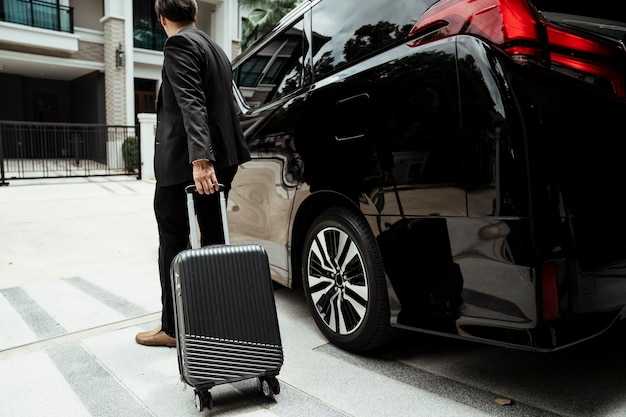
Open the Uber app, set pickup to MIA, select Uber Black, and tap Request when you see the upfront price. This go-to option pairs with professional chauffeurs and a meet-and-greet at the curb so visitors feel guided from the moment they land.
Step 1: Set pickup to MIA and confirm Uber Black. The in-app fare shows a fixed estimate before you confirm, so youre ready for a clear quote.
Step 2: Choose the terminal or arrivals curb. At MIA terminals you’ll see a ride-share area clearly marked; if you arrived by Tri-Rail or Metrobuses, follow signs to the terminals and then to the ride-share curb. The option may include meet-and-greet with your chauffeur.
Step 3: Add passenger and luggage details, then review driver details in the app. You’ll see the chauffeur’s name, car style, and ETA. This builds trust and helps you identify the correct vehicle when you meet your person at the designated meet-and-greet point.
Step 4: Wait for your ride and track the driver in real time. Most wait times stay within a few minutes; the entire process remains modern and streamlined. If you’re heading toward Biscayne or the west side, the route adapts to traffic, keeping the ride efficient and predictable.
Step 5: Meet your chauffeur at the designated area and start your transfer. When you reach your destination, the trip ends with convenience and a smooth handoff, ideal for visitors and locals alike who want a trusted, go-to service with a professional driver.
| Stage | In-app action | Notes |
|---|---|---|
| 1. Start | Open app, set pickup to MIA, choose Uber Black, confirm upfront price | fixed estimate appears before tapping Request |
| 2. Pickup | Select terminal/arrivals curb | look for meet-and-greet option with chauffeurs |
| 3. Details | Enter passenger count and luggage; view driver details | trust and driver verification shown in app |
| 4. Ride | Track ride in real time; wait for pickup at the curb | most efficient routing, traffic adapts |
| 5. Arrival | Meet driver at designated meet-and-greet area | to ride to Biscayne, north, or downtown |
Luggage, vehicle size, and seating options for Uber Black airport transfers
Opt for an SUV for MIA Uber Black airport transfers when you travel with multiple bags. SUVs comfortably fit 4 large suitcases and 2 carry-ons, plus personal items, keeping their case organized and the cabin clean. A sedan handles 2 large suitcases and 2 carry-ons, but space may feel tight if you travel with more than two bags. Price varies by vehicle size, so the SUV option offers the best balance of space and comfort, especially for groups headed to lauderdale-hollywood, north, or other long destinations.
For groups of 3-4, the SUV option delivers comfortable seating and space for everyone, with bags secured in the rear and within easy reach. This setup preserves a premium level of comfort for the ride, and it works well when you require extra room for tall cases. If you travel light, a sedan still provides a clean ride while saving on price.
Seat count and child seating: SUVs seat up to 4 passengers, sedans up to 3; if requiring a booster seat, add the extra option while booking. Pack larger cases in the rear, and keep smaller bags in front if needed.
Pickup logistics and hop-off: On arrival, head to the designated Uber Black pickup zone at MIA; the driver located there will meet you and start the ride with a clean, professional vehicle. They are punctual and impressed by clear instructions from you. If you need a hop-off at a different stop along the way, communicate this in the app or to your driver again.
Local notes: If you’re headed from MIA to lauderdale-hollywood or toward north destinations, consider times that align with tri-rail or eastman connections. For tours or cruise-day transfers, select the extra luggage option to guarantee space for bags and gear; searching- ahead ensures your ride matches your plan. If plans change again, you can adjust pickup in the app.
Final tip: Check the vehicle size in the app before you confirm; this helps you avoid last-minute changes and keeps the ride exceptional for you and their party.
Pricing and payment: upfront fare estimates, surge awareness, and payment methods at MIA
Upfront fare estimates and surge awareness
Always lock in an upfront fare by selecting the upfront option when you book. This provides a fixed price that covers base rate, airport surcharge, tolls, and traffic-driven adjustments, offering relief from surprise charges on arrival. For MIA transfers, standard routes and times drive pricing, with typical ranges: MIA to Downtown Miami or Brickell $35-$60, to South Beach $45-$70, and up to $110-$150 for longer hops toward the palm-fringed coast of the Palm Beach area, depending on distance, route, and tolls. When you book, you can view a complete breakdown before you confirm, which helps your plan stay on track. Provided you share flight details, the dispatcher can align the pickup with your arrival, ensuring impeccable timing and a smooth start for family or business trips.
Payment methods and tips
Surge awareness: peak flight times and city traffic can push the fare by 15-40% during times of heavy traffic; check ETA and monitor delays to adjust the pickup window. The driver waits 15-30 minutes after landing; after that, waiting charges apply. To minimize waiting and ensure a cool, calm transition, provide the exact terminal, flight number, and any special instructions in your itinerary. Parking fees at MIA and airport access charges can be included in the upfront fare; corporate accounts offer a dedicated plan for your home office, which makes getting receipts provided automatically. For payment, you can use a card in the app, Apple Pay or Google Pay, or a corporate account; the digital receipt is sent after the ride and can be attached to your travel itinerary. If you rely on metrobuses or other transit after pickup, we can coordinate so you reach the curb quickly and complete your day, having a plan that keeps both city and suburban legs on track, and a driver who understands traffic across eastman-state corridors and main arterials. If your plans include a boat transfer after landing, we can coordinate to align with that schedule.
Cancellation policy and refund steps for airport Uber Black rides
Cancel in the Uber app within the free window, ideally before the driver is assigned, to avoid any charge. This policy covers both the base fare and any cancellation fee that may apply later. There is beauty in clear, proactive steps that save time for travelers and make airport transfers smoother, especially for miamis hubs using premium services.
If you travel to miamis airports or other hubs, you can book a ride with confidence by planning distance to the terminal and the expected traffic. The busiest queues at the centre can affect pickup times, so have a backup plan in your itinerary and adjust as needed to stay comfortably while on the move. For april updates, always check the in-app policy because rules can change with demand.
Note that if you cancel after a driver is assigned or en route, a fixed cancellation fee may apply. Check the in-app alert before you confirm cancellation to see the exact amount for your case.
Refund steps
Open the app, go to Trips, select the airport Uber Black ride, and tap Cancel. Confirm the cancellation and choose a reason. If you cancel before the driver is assigned, you pay nothing; otherwise a fixed fee may apply.
If you were charged, use the in-app Help link to request a refund. Provide details such as pickup location, time, flight information if relevant, and the amount charged. The attentive support centre will review each case and help travelers reach a resolution quickly.
Refunds return to the original payment method and typically appear on your statement within 5-7 business days, depending on your bank. Keep the booking receipt as proof in case of any follow-up. When you travel between north miami or naples and the airport, these steps stay the same and keep your plan on track.
To stay aligned with changes, review the policy in the app's Help section; in april updates, some details may shift. By following these steps, you can manage cancellations efficiently, without disrupting your travel plan and ensuring service remains reliable for both you and other travelers.
Safety and reliability tips for a smooth MIA transfer: driver ratings, safety features, and sharing ride details
Once you land, confirm your ride in the app with the highest recent driver rating to start on a calm note. This step takes just a minute and helps you set the entire transfer on the right track. There is beauty in a predictable pickup when you know the driver and car, making the entire experience feel serene–this is the best way to begin. These checks helped many travelers avoid delays and keep the process smooth.
Driver ratings
- Check the latest driver rating; aim for a 4.8+ average and read at least two recently completed trips during peak times to gauge consistency. If you cant find a solid score again, also consider an alternative driver; review the vehicle and choose the best matching options among the available vehicles to fit your family and luggage, and ensure those trips were accepted by the driver.
- Confirm the vehicle and driver match before stepping out; this prevents misidentification at the curb and reduces queues of passengers waiting for rides in the entire arrivals area.
Safety features
- Look for in-vehicle safety items: seat belts, airbags, child-seat compatibility, and a clear safety policy; a documented plan if something goes wrong, including direct contact with support and the safety guidance provided by the provider.
- Use real-time location sharing and a two-way contact option; you can provide your family with a live view of the ride and ETA, so they feel serene and prepared, even when you are in a long line or queues at the terminal.
- If the driver cant provide visible safety assurances or the car cant guarantee safety features, cancel in advance and request a replacement vehicle from the provider that offers safety assurances and a laid-back drive, without complicating the process.
Sharing ride details
- Share the confirmation, driver name, car model, and plate with family or a trusted contact; this is an unparalleled way to stay informed throughout the transfer and can help you coordinate the entire pickup.
- Set up a simple plan: a contact who helps with metrorail as an alternative or with rental options; this money-saving strategy provides convenient options and local knowledge to navigate delays.
- Before you depart, verify pickup instructions and parking rules to avoid delays; you can park at a nearby spot and meet the driver at a designated curb, without rushing through security lines.


